
ManyChat pricing: what each plan costs as contacts grow
Yevhen Kurapov, co-founder · Updated Oct 13, 2026
ManyChat prices its plans by active contacts. Billed monthly: Free covers 25, Essential is $17 for 250, Pro $39 for 2,500, Business $99 for 7,500 and Advanced $199 for 25,000, and each extra contact costs $0.004 to $0.10. AI and WhatsApp start on Pro. WhatsApp message fees are paid separately from a ManyChat wallet.
We make ChatPal, one of the tools below, and list its limits on the same terms as everyone else's.
ManyChat charges for people, not messages. Someone who comments on your giveaway post and gets an automated DM is one active contact for that month, whether they send one message or forty. Each plan includes a set number of contacts, and past it every extra person is added to the bill at a per-contact rate that gets smaller on the bigger plans. AI and WhatsApp start on Pro.
That keeps the cost per person low for campaigns, and the bill grows with contacts when a post takes off. Below are the plans, three worked monthly bills and one busy month, the costs on top of the plan price, and when a tool priced by AI replies comes out cheaper.
We make ChatPal, which is one of the alternatives on this page, so weigh what we say about it accordingly. Every ManyChat price here comes from its pricing page and help center as we read them on 13 October 2026, in US dollars and before tax. The bills are our arithmetic on those prices.
ManyChat plans at a glance
| Plan | Billed monthly | Billed yearly (per month) | Active contacts included | Each extra contact (monthly / yearly) | Users | Channels | AI |
|---|---|---|---|---|---|---|---|
| Free | $0 | $0 | 25 | Not offered | 1 | 2, no WhatsApp | No |
| Essential | $17 | $14 | 250 | $0.10 / $0.082 | 2 | 2, no WhatsApp | No |
| Pro | $39 | $29 | 2,500 | $0.05 / $0.038 | 3 | 3 | Yes |
| Business | $99 | $69 | 7,500 | $0.025 / $0.018 | 5 | All | Yes |
| Advanced | $199 | $139 | 25,000 | $0.004 / $0.0028 | 10 | All | Yes |
A few things the table doesn't say:
- This is the pricing ManyChat introduced on 2 March 2026. Accounts created before that may still be on the older Pro plan, whose price steps up automatically with your total contact list. ManyChat is moving older accounts over country by country and emails you when yours can switch. All free accounts have already moved.
- SMS and email start on Pro. Pro can send up to 10,000 emails a month, Business 30,000 and Advanced 100,000.
- Prices exclude tax and depend on your billing country. The final price shows on the checkout page.
- Yearly plans can't be downgraded until the term ends, and overages are still billed monthly.
How the contact count drives the bill
A contact counts as active when a message is sent or received through ManyChat that month, by an automation, the AI, a broadcast or your team in the inbox. Your follower count doesn't matter; only people who interact. The count resets each billing month.
ManyChat warns you at 70%, 90% and 100% of your limit. Past it, automations keep running and each extra contact is added to your next bill. You can set an overage threshold under Settings, Billing, Subscription; once you hit it, ManyChat keeps serving contacts already active that month but no new ones.
Here is our arithmetic on ManyChat's published prices at three sizes, and for one busy month, billed monthly and before WhatsApp fees.
500 active contacts. Essential costs $17 plus 250 extra contacts at $0.10, so $42. Pro costs $39 and covers up to 2,500. Past about 470 contacts, Pro costs less than Essential and adds AI and WhatsApp.
2,500 active contacts. Pro at $39 covers it exactly. On Essential the same month would be $17 plus 2,250 extra contacts at $0.10, $242.
10,000 active contacts. Pro would be $39 plus 7,500 extra contacts at $0.05, $414. Business is $99 plus 2,500 extra at $0.025, $161.50. Advanced is a flat $199. So Business gives the lowest bill at this size, and billed yearly it comes to $69 plus $45 of overage, $114.
A giveaway month. Say you normally have 2,000 contacts on Pro, and a comment giveaway takes you to 12,000 active contacts in one month. Left on Pro, that month is $39 plus 9,500 extra contacts at $0.05, $514. ManyChat says it forgives overage fees if you upgrade within the same billing cycle, so moving to Advanced that month means paying for Advanced, $199, instead. Set a threshold before a big campaign, or check the count while it runs.
What ManyChat's AI does and doesn't do
On the current plans, AI is part of Pro, Business and Advanced rather than a separate purchase. ManyChat's AI product page describes it as "an add-on to Manychat Pro" at $29 a month, which may be how it is billed on the older plans. If your account predates March 2026, check Settings, Subscription to see what you have.
What the AI does on Pro and up:
- AI Replies answer questions in DMs and comments from what you add to the AI knowledge base.
- AI Comments reply to positive comments on posts and reels and carry the conversation into DMs.
- AI Step and intention recognition let flows qualify leads and react to what people mean rather than exact keywords. AI Step works on Instagram, Messenger, WhatsApp, TikTok and Telegram, from business context you type into the step.
Where it stops, per ManyChat's help center:
- The knowledge base works on Instagram only, and it is in beta. On WhatsApp, the AI answers through an AI Step inside a flow, not from your knowledge base.
- It reads one page at a time. Adding your homepage doesn't include its subpages, each entry holds up to 250,000 characters, and text inside PDFs or images isn't read. A store with a size guide, a returns page and 300 product pages would add each page as its own entry.
- No store catalog sync. ManyChat's catalog is products you add by hand; Pro's commerce integration is Hotmart plus API, and we found no Shopify sync in its help center.
- No website chat in the channel list. ManyChat's pricing page lists Instagram, Messenger, TikTok, Telegram, WhatsApp, SMS and email.
Other costs to budget for
WhatsApp messages. ManyChat takes WhatsApp message fees from a ManyChat wallet, separate from the plan. Template messages, the ones you send first such as broadcasts or delivery updates, are charged per message by category and the customer's country. ManyChat's WhatsApp pricing guide, updated on 7 October 2026, says that since 1 October replies inside the 24-hour customer service window are charged too, after 1,000 free per number each calendar month. Its listed service-message rates include $0.0034 for North America, $0.0200 for Spain, $0.0220 for the UK and $0.0550 for Germany. At those rates, a UK shop sending 3,000 WhatsApp replies in a month would pay for 2,000 of them, about $44. Messages customers send you are free. Meta's own pricing page describes the same change: each business phone number gets 1,000 free service messages a month, and Meta charges for the rest. Meta's WhatsApp fees apply to every tool on this page, ChatPal included.
Inbox seats. Pro includes 3 users, 2 of them with Inbox seats, and lets you add one more seat for $25. Business includes 3 Inbox seats (up to 5) and Advanced 5 (up to 10), at $25 for each extra seat.
A fourth channel. Pro connects 3 channels. Instagram, WhatsApp and Messenger fill it; adding TikTok or Telegram means Business, $99 a month billed monthly.
The same person twice. Someone who messages you on Instagram and on TikTok may count as two contacts, unless ManyChat matches them by the same phone number or email.
Six tools compared on price and AI
| Tool | Best for | Price |
|---|---|---|
| ManyChat | Instagram campaigns and broadcasts | Free for 25 active contacts; paid plans from $17 to $199 a month billed monthly, for 250 to 25,000 contacts |
| ChatPal | AI answers on web and messaging | Free for 100 replies a month; $20 for 500, $50 for 1,500 and $120 for 4,000, billed monthly |
| Chatfuel | Flat price, AI on WhatsApp and Instagram | Business $20 a month billed monthly, or $18 billed yearly, with $20 of AI credits a month |
| SendPulse | Flows and broadcasts on a budget | Free for 500 subscribers and 10,000 messages a month; Pro from €11 a month billed monthly, priced by subscribers |
| Tidio | Website chat first | Free plan; Starter $29 a month billed monthly; Lyro AI from $39 a month for 50 AI conversations |
| respond.io | A team inbox for WhatsApp sales | Starter $99 a month billed monthly ($79 billed yearly); Growth, with AI Agents, $199 ($159 billed yearly) |
Instagram campaigns and broadcasts
ManyChat
Price: Free for 25 active contacts; paid plans from $17 to $199 a month billed monthly, for 250 to 25,000 contacts
Good at
- Comment to DM, story replies, follow to DM, keywords and broadcasts, with 60+ ready-made templates
- Instagram, TikTok, WhatsApp, Messenger, Telegram, SMS and email
- One person counts once a month, however many messages they send
Keep in mind
- AI and WhatsApp start on Pro; Free and Essential have neither
- The AI knowledge base works on Instagram only and is in beta
- Pro connects 3 channels; a fourth means Business at $99 a month billed monthly
AI answers on web and messaging
ChatPal
Price: Free for 100 replies a month; $20 for 500, $50 for 1,500 and $120 for 4,000, billed monthly
Good at
- Answers from your website, files and FAQs, with no flows to build
- On a Shopify store, answers from a synced copy of your catalog and sends product cards in Instagram and WhatsApp
- Instagram, WhatsApp, Messenger, Telegram and website chat on every plan, the free one included
- Works alongside the WhatsApp Business app: a reply from your phone pauses the assistant on that chat
Keep in mind
- Replies to incoming messages only: no broadcasts, comment-to-DM or growth tools
- No TikTok, SMS or email channel
Flat price, AI on WhatsApp and Instagram
Chatfuel
Price: Business $20 a month billed monthly, or $18 billed yearly, with $20 of AI credits a month
Good at
- Unlimited active contacts and messages; only AI processing has a fair-use limit
- Replies to post and Reels comments, WhatsApp campaigns and bookings in WhatsApp
Keep in mind
- Past the AI fair-use limit the bot pauses until the period resets or you renew early
- Starts with a free trial rather than a free plan
Flows and broadcasts on a budget
SendPulse
Price: Free for 500 subscribers and 10,000 messages a month; Pro from €11 a month billed monthly, priced by subscribers
Good at
- Pro covers WhatsApp, Instagram, Messenger, Telegram, Viber, TikTok and website chat with unlimited messages
- Email, SMS and a CRM from the same company
Keep in mind
- AI replies need your own API key from OpenAI or another AI provider, on a paid plan
- The price rises with your subscriber count, as ManyChat's does with contacts
Website chat first
Tidio
Price: Free plan; Starter $29 a month billed monthly; Lyro AI from $39 a month for 50 AI conversations
Good at
- Website live chat plus Messenger, Instagram and WhatsApp in one inbox, from the free plan
- Lyro learns from an FAQ upload, a website scan or imported Zendesk articles
Keep in mind
- Lyro is sold in blocks of AI conversations, and the free plan's first 50 come once, not monthly
- Your team's conversations are a second meter: Starter covers 100 a month
A team inbox for WhatsApp sales
respond.io
Price: Starter $99 a month billed monthly ($79 billed yearly); Growth, with AI Agents, $199 ($159 billed yearly)
Good at
- AI Agents answer from documents and URLs you add, from the Growth plan
- Built for teams: 5 users on Starter, 10 on Growth
Keep in mind
- AI Agents start on Growth, not Starter
- WhatsApp fees are not included in any plan
When a plan priced by AI replies costs less, and when ManyChat does
ManyChat and ChatPal count different things. ManyChat counts people a month. ChatPal counts the replies its AI writes, including replies to your own tests and to Copilot in your dashboard. To compare them we assumed each person who writes in with a question gets three AI replies. That number is ours, not a measured average: count the replies in a week of your own chats. Both sides below are billed monthly.
- 150 people ask questions a month. About 450 replies, which fits ChatPal's $20 a month plan. ManyChat with AI means Pro at $39 a month.
- 500 people. About 1,500 replies, ChatPal's $50 plan. ManyChat Pro is $39, so $11 less.
- 2,500 people. About 7,500 replies, more than ChatPal's largest listed plan covers ($120 for 4,000). ManyChat Pro still costs $39.
So on price alone, ChatPal costs less only at small volumes: up to about 165 people a month on our three-reply assumption. In our view, the better reasons to choose are about where and how each tool answers. We'd pick ChatPal if:
- most of your DMs are questions about products, sizes, delivery and returns, and you'd rather the AI answer from your website and files than build a flow per question;
- you sell on Shopify and want answers from your catalog, with product cards in Instagram and WhatsApp;
- you want the same assistant on WhatsApp, website chat and Telegram, answering from one knowledge base.
We'd stay with ManyChat if:
- your sales come from comment-to-DM, giveaways, lead magnets and broadcasts. ChatPal only replies to messages people send; it can't start a conversation or reply to comments;
- you sell on TikTok, or send SMS and email from the same tool;
- your contacts are many and light: 2,500 people for $39 a month is under 2 cents each.
You can use both: ManyChat on Instagram for campaigns, and an AI assistant on WhatsApp and the website for questions. Just don't put two bots on the same channel.
How to switch without losing your Instagram or WhatsApp setup
- Sort your flows. Campaigns (comment triggers, giveaways, broadcasts) stay in a flow tool. Answers (shipping, sizes, returns, opening hours) can come from a knowledge base. If an answer lives only inside a flow today, write it down as a page or a document first.
- Start on a channel ManyChat isn't using. Connect your website chat or Telegram to ChatPal first, add your FAQ, delivery and returns pages under Configuration, on the Links tab, and read the conversations for a week. Your ManyChat setup keeps running untouched.
- Move Instagram when you're ready. Two tools on one Instagram account would both answer the same DM, so either turn off ManyChat's DM automations for that account before you connect it elsewhere, or keep Instagram in ManyChat for campaigns and use the AI on your other channels. In ChatPal, connecting Instagram takes a login: Integrations, Instagram, Connect Instagram.
- Plan the WhatsApp move as a cutover. ManyChat's help center says removing WhatsApp stops all its automations, and that you won't be able to transfer your message history and contacts. Before the number works anywhere else, you delete it from WhatsApp Manager in Meta Business Manager. ManyChat also says a number bought through ManyChat can't be used on another platform. In ChatPal you then choose Connect and keep the app, to keep answering from the WhatsApp Business app on your phone, or Connect via Cloud API.
- Export what you need first. Download contacts and anything else you want to keep before you remove a channel or cancel.
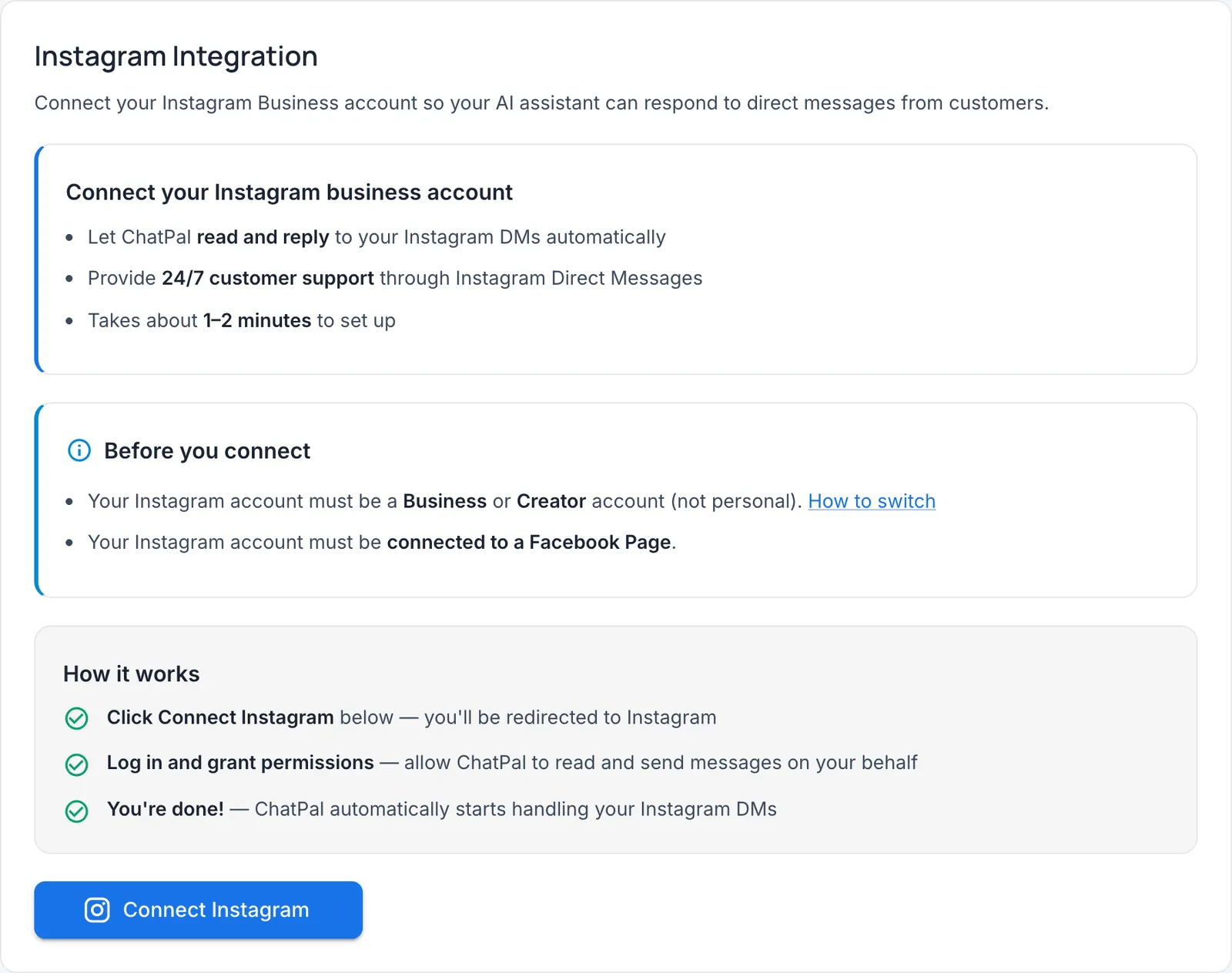
For a wider list of tools, see ManyChat alternatives. If Instagram is where your customers ask about products, Instagram DM automation for online stores walks through the setup, and ChatPal for Instagram shows what the assistant does there.