
Crisp chat alternatives: shared inbox first, or AI first?
Yevhen Kurapov, co-founder · Updated Oct 20, 2026
Crisp charges per workspace: free for 2 seats without AI, Mini $45 with $5 of AI credits (about 90 conversations), Essentials $95 with WhatsApp and Instagram. For AI that answers most chats, ChatPal is free for 100 replies, then $20 for 500. Help Scout suits email-first teams; Tidio and tawk.to are cheaper live chat.
We make ChatPal, one of the tools below, and list its limits on the same terms as everyone else's.
Crisp is a website chat and shared inbox for small teams, priced per workspace rather than per person. That makes it good value for a team of three or four who answer chats themselves. The alternatives below fit when that changes: you want AI to answer most chats, you need WhatsApp and Instagram without jumping to $95, or your team works mostly from email. We checked every price on 20 October 2026.
What Crisp's plans include
| Plan | Price per workspace | Seats | AI credits a month | Channels added |
|---|---|---|---|---|
| Free | $0 | 2 | None | Chat widget, contact form, shared inbox |
| Mini | $45 a month | 4 | $5, about 90 AI conversations | Shared email inbox on your domain |
| Essentials | $95 a month | 10 | $25, about 450 | WhatsApp Business, Instagram DMs, SMS, Line, Viber |
| Plus | $295 a month | 20 | $75, about 1,350 | 100+ integrations, no Crisp watermark |
From Crisp's pricing page on 20 October 2026; prices exclude VAT, and yearly billing is switched on in the app. Conversations your team handles aren't limited. Extra agents cost $10 a month each.
Why teams look for an alternative
AI is a small part of the price. Crisp's AI agent, Hugo, runs on credits included in the plan. On Mini, $5 covers about 90 conversations a month by Crisp's own estimate; when they run out, Hugo stops and chats go to your team, unless you turn on pay-as-you-go at roughly $0.05 to $0.10 a conversation. That works when people answer most chats and AI covers the overflow. It's less of a fit when you want AI to answer most of them.
Messaging apps start at $95. WhatsApp Business and Instagram DMs come with Essentials. A team of two that only needs the website chat plus Instagram pays for ten seats to get it.
The watermark stays until Plus. Removing “We run on Crisp” from the chat needs the $295 plan.
One person pays for a team. Per-workspace pricing is a strength for a team of four. For one person answering alone, a free tool or a per-reply price can cost less.
When to stay on Crisp
Stay if:
- three to ten people answer chats themselves, and you want them in one inbox at one price;
- you need email, chat and messaging apps in the same place, which Crisp covers from Essentials;
- AI is a backup for evenings rather than the first answer;
- your team uses Crisp's help center and integrations day to day.
How we chose
We read each tool's pricing page and help articles on 20 October 2026. We picked the tools a small team on Crisp would compare: two other live chat tools (Tidio and the free tawk.to), an email-first shared inbox (Help Scout), and ChatPal, which puts the AI first. We make ChatPal, so weigh what we say about it accordingly; we didn't test the other tools hands-on. The list is grouped by approach, not ranked.
Crisp and four alternatives
| Tool | Best for | Price |
|---|---|---|
| Crisp | Staying on Crisp | Free for 2 seats without AI; Mini $45, Essentials $95 and Plus $295 a month per workspace; yearly billing is switched on in the app |
| ChatPal | AI answers first, your team steps in | Free for 100 replies a month; $20 for 500, $50 for 1,500 and $120 for 4,000, billed monthly |
| Tidio | Live chat with an AI add-on | Free plan with 50 conversations a month; Starter $29 a month, or $24.17 billed yearly; Lyro AI Agent from $32.50 a month billed yearly for 50 AI conversations |
| tawk.to | Free live chat | Live chat free; AI Assist from $29 a month (Growth, 1,000 message credits); removing tawk.to branding $29 a month |
| Help Scout | An email-first shared inbox | Free for 5 users, 1 inbox and 100 contacts a month; Standard from $25 per user a month, 16% less on annual billing; AI Answers $0.75 per resolution |
Staying on Crisp
Crisp
Price: Free for 2 seats without AI; Mini $45, Essentials $95 and Plus $295 a month per workspace; yearly billing is switched on in the app
Good at
- Seats come with the workspace: 4 on Mini, 10 on Essentials, 20 on Plus; extra agents are $10 a month each
- Mini adds a shared email inbox on your own domain; Essentials adds WhatsApp Business, Instagram DMs, SMS, Line and Viber
- No limit on the number of conversations your team handles
Keep in mind
- The AI credits are small next to the plan: $5 on Mini, about 90 automated conversations, and $25 on Essentials, about 450
- Removing the “We run on Crisp” watermark needs Plus, $295 a month
AI answers first, your team steps in
ChatPal
Price: Free for 100 replies a month; $20 for 500, $50 for 1,500 and $120 for 4,000, billed monthly
Good at
- Priced by the replies the assistant writes, with AI on every plan, the free one included
- Website chat, WhatsApp, Instagram, Messenger and Telegram on every plan
- Your team takes over from the ChatPal inbox, or replies from the WhatsApp Business app or Instagram and the assistant steps back from that chat
Keep in mind
- No email inbox or ticketing: it answers chats and messages
- Built for the assistant to answer first: a chat reaches your team when it hands over or someone takes it over
Live chat with an AI add-on
Tidio
Price: Free plan with 50 conversations a month; Starter $29 a month, or $24.17 billed yearly; Lyro AI Agent from $32.50 a month billed yearly for 50 AI conversations
Good at
- Live chat, Messenger, Instagram, WhatsApp and email on every plan, the free one included, with 10 seats
- Lyro pauses at your limit, so the AI bill can't run past the quota you bought
Keep in mind
- Two meters: your team's conversations (100 a month on Starter) and Lyro's AI conversations
- Removing Tidio branding starts on Growth, as a paid add-on
Free live chat
tawk.to
Price: Live chat free; AI Assist from $29 a month (Growth, 1,000 message credits); removing tawk.to branding $29 a month
Good at
- Unlimited team members for free, with desktop and mobile apps
- Ticketing and a hosted knowledge base, also free
Keep in mind
- AI Assist's default model uses 3 credits per reply, so Growth's 1,000 credits cover about 333 AI replies
- Its help center has channel guides for Messenger, WhatsApp, Telegram, SMS and email, and none for Instagram DMs
An email-first shared inbox
Help Scout
Price: Free for 5 users, 1 inbox and 100 contacts a month; Standard from $25 per user a month, 16% less on annual billing; AI Answers $0.75 per resolution
Good at
- Email, live chat, SMS, WhatsApp, Instagram and Messenger in one shared inbox from Standard
- AI Answers charges only for conversations it resolves without a person, and you can cap the monthly spend
Keep in mind
- Priced per user, so the bill grows with every person you add
- AI Answers is billed on top of the plan once the 3-month free trial ends
Shared inbox first, or AI first?
The choice that matters most is who answers first.
Shared inbox first (Crisp, Tidio, tawk.to, Help Scout): your team sees every chat and answers it; AI handles some of them. You pay for seats or workspaces, and AI is metered on top in credits, conversations or resolutions.
AI first (ChatPal): the assistant answers every chat from your website, files and catalog, and your team sees the ones it hands over or that someone takes over. You pay for the assistant's replies.
A quick test: count last month's chats and mark the ones a good answer from your own website would have closed. If that's most of them, AI first answers them at any hour, without anyone on shift. If most needed someone to look up an account or make a judgement call, keep a shared inbox and add AI to it.
What each tool counts
Each tool meters something different, and that decides how the bill moves when you grow.
| Tool | People | Chats your team answers | AI answers |
|---|---|---|---|
| Crisp | Per workspace, seats included | Not limited | Credits in the plan, then pay-as-you-go |
| ChatPal | Not part of the plan price | Not part of the plan price | AI replies, in plans of 100 to 4,000 a month |
| Tidio | 10 seats included | Billable conversations | Lyro AI conversations, bought separately |
| tawk.to | Free, unlimited | Free | Message credits, 3 per reply on Auto |
| Help Scout | Per user | Contacts helped, unlimited on paid plans | $0.75 per resolution |
Adding a fourth person costs nothing extra on Crisp Mini, on tawk.to, or on Tidio up to 10 seats; ChatPal's plans are priced by replies rather than people; on Help Scout it adds $25 or more a month. Doubling your chats moves the bill on Tidio and, if AI answers them, on every tool.
What one small team would pay
An example team of three people: 300 chats a month across the website, Instagram and WhatsApp, of which they want AI to answer about 200 on its own. Where a tool counts replies or credits, we assumed three AI replies per conversation, so 600. That's our assumption: count a week of your own chats and use your number.
| Tool | Plan this team needs | Monthly cost |
|---|---|---|
| Crisp | Essentials, for Instagram and WhatsApp; $25 of credits covers about 450 AI conversations | $95 |
| ChatPal | 600 AI replies on the $50 plan (1,500) | $50 |
| Help Scout | Standard for 3 users, plus AI Answers for up to 200 resolutions | $75, plus up to $150 |
| tawk.to | Free live chat, plus AI Assist: 1,800 credits on Auto | $59 (Growth plus 1,000 extra credits), but no Instagram |
Our arithmetic on each tool's published prices in US dollars, on 20 October 2026. Help Scout's page offers 16% off on annual billing without saying which rate the $25 is, so confirm it before you budget; AI Answers charges only for conversations it resolves without a person, so the real figure is often below $150.
Tidio doesn't fit a single line: its Starter plan, $29 a month, covers 100 conversations for your team, and Lyro is bought separately in steps of 50 to 1,000 AI conversations a month, starting at $32.50 for 50 billed yearly.
ChatPal's $50 plan leaves room: 600 replies use well under half of its 1,500. If your conversations are short, the $20 plan's 500 replies might be enough.
Crisp or ChatPal
Choose Crisp if your team answers most chats themselves and wants email, chat and messaging in one inbox at one price.
Choose ChatPal if:
- you want the assistant to answer first, around the clock, from your website and files;
- you need Instagram, WhatsApp, Messenger and Telegram without moving to a $95 plan;
- you'd rather pay for replies than for credits on top of a workspace price.
Here is how ChatPal handles a question it has no answer for, in an example conversation on Instagram for a fictional bike repair shop:
Customer: How much is a full service for a road bike?
Assistant: A full service for a road bike is $120 and takes two working days.
Customer: Do you repair e-bike motors too?
Assistant: I don't have details on e-bike motor repairs. Our team can see this chat and can answer that here.
The assistant doesn't guess. When someone from the shop replies from the Instagram app or Meta Business Suite, the chat is marked Operator in Instagram in ChatPal and the assistant steps back until you click Return to AI, or after a quiet period you set (24 hours by default).
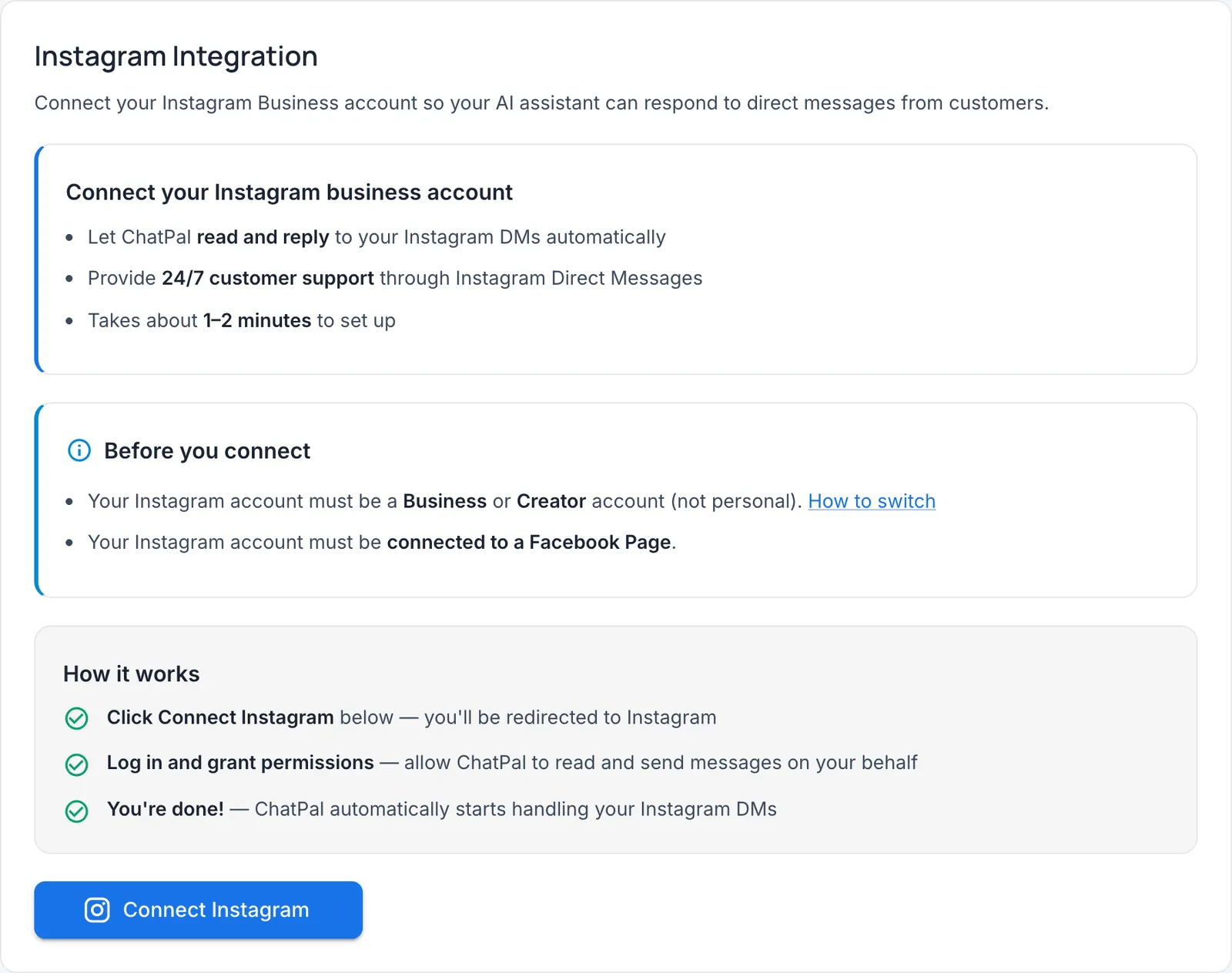
Moving from Crisp to ChatPal
- Collect your answers. Export or copy your Crisp help center articles and saved replies into a document.
- Add knowledge in ChatPal. Open Configuration, upload the document, and add your website as a link.
- Test in the Playground with last month's most common questions. Test replies count toward your monthly messages.
- Switch on handoff. In Configuration, open Handoff & leads and switch on Hand off to a human when needed, then invite your team from Manage workspaces....
- Swap the website chat. Remove Crisp's code, then in ChatPal open Integrations, then Chat Widget, and copy the Installation script from the Embed code tab into your site.
- Connect your messaging apps from their tiles under Integrations. Disconnect each one from Crisp first, so customers get one answer.
For a wider comparison of website chat tools, see the best AI chatbots for websites. If your team works in a helpdesk, the best AI customer service chatbots for small businesses covers that side, and Tidio alternatives looks at the other live chat that sells AI as an add-on.