
Free chatbot for your website: what each free plan really includes
Yevhen Kurapov, co-founder · Updated Oct 20, 2026
On 20 October 2026, ChatPal's free plan gives 100 AI replies a month on your website and messaging apps. Botpress gives 100 conversations a month, but you build the bot. Tidio's 50 AI conversations come once. tawk.to and Chatling come to about 33 and 40 AI replies. Crisp, HubSpot, Zoho SalesIQ and Landbot have no AI on their free plans.
You can put an AI chatbot on your website for free, but every free plan stops somewhere different. We read the pricing pages and help centers of nine tools on 20 October 2026 and wrote down what each free plan actually gives a website: how many AI replies a month, whether a person can answer, whose branding sits on the chat, and what forces the first upgrade.
We make ChatPal, so weigh that. Where another free plan gives more, the tables say so.
Free plans side by side
Each vendor counts something different: replies, conversations, credits or chats. The third column turns that into AI replies where the vendor publishes enough to do it.
| Tool | AI on the free plan | About how many AI replies a month | People answering on free | First paid step |
|---|---|---|---|---|
| ChatPal | 100 AI replies a month, plus a one-time welcome bonus in month one | 100 | Your team replies from the ChatPal inbox after a handoff | Starter, $20 a month for 500 replies |
| Botpress | 100 conversations a month, no top-ups | Not capped per reply | 3 seats | Plus, $150 a month billed annually |
| Chatling | 200 credits a month; its free models use 5 credits per reply | About 40 | 1 seat | Starter, $25 billed monthly for 1,750 credits |
| tawk.to | AI Assist Hobby: 100 credits a month; the default model uses 3 per reply | About 33 | Free live chat, no chat cap listed | AI Assist Growth, $29 a month ($290 a year) |
| Tidio | 50 Lyro AI conversations, once per account | 50 conversations in total, not monthly | 50 conversations a month, 10 seats | Starter, $29 billed monthly or $24.17 billed annually; Lyro from $32.50 a month |
| Crisp | None | 0 | 2 seats | Mini, $45 a month with about 90 AI conversations |
| HubSpot | Rule-based bots only; its AI Customer Agent needs Professional seats | 0 | Up to 2 users | Starter removes branding, listed at $7 to $20 a seat a month depending on billing |
| Zoho SalesIQ | None; no chatbot on free | 0 | 3 operators, 100 chats a month | Basic, $7 per operator a month billed annually, with 1 chatbot |
| Landbot | None; 100 chats a month through flows you build | 0 | 1 seat | Starter, $45 a month ($36 billed annually) with 100 AI chats |
Of the tools here, Botpress is the most generous on paper: a conversation there can hold as many replies as it takes. The catch is that Botpress is a builder, so you design the bot yourself, and its free plan has a hard cap with nothing to buy on top. ChatPal's 100 replies come next, then Chatling, tawk.to and Tidio's one-off 50.
To compare with your own traffic, assume three AI replies per chat. Then 100 replies cover about 33 website chats a month, and 40 replies about 13.
The fine print: branding, channels and knowledge
| Tool | Branding on the chat window | Channels on the free plan | What the AI can learn on free |
|---|---|---|---|
| ChatPal | Small “Powered by ChatPal” link, on every plan | Website, WhatsApp, Instagram, Messenger, Telegram, Zendesk | Up to 10 web pages and 2 MB of files |
| Botpress | Botpress branding; white-label webchat from Plus | Webchat; WhatsApp from Plus | 100 MB of knowledge storage |
| Chatling | “Powered by Chatling”; removal is a $35 a month add-on or part of Scale ($295 a month) | Website only | 500,000 characters, refreshed by hand |
| tawk.to | “Powered by tawk.to”; removal $29 a month | Website chat, ticketing and a help center | Not listed for Hobby; Growth reads up to 500 pages |
| Tidio | Tidio branding on Free and Starter | Website, Messenger, Instagram, WhatsApp, email | Your FAQ and a scan of your website |
| Crisp | Crisp watermark; removal on Plus | Website chat | No AI |
| HubSpot | HubSpot branding; removal from Starter | Website chat, simple Facebook Messenger replies | No AI |
| Zoho SalesIQ | Custom widget branding from Basic | Website chat; WhatsApp, Instagram, Messenger and Telegram from Basic | No AI |
| Landbot | Landbot branding; removal from Professional | Web, plus WhatsApp on a test number | No AI |
Three details matter more than the headline numbers:
- Handing a chat to a person. On tawk.to, escalating from the AI to a human agent is listed from Growth. ChatPal hands chats to your team on the free plan.
- What your own testing costs. tawk.to doesn't charge credits for preview messages. ChatPal counts your Playground test replies toward the 100, which is why new accounts get a one-time welcome bonus in month one.
- Keeping answers current. Chatling's free plan has no automatic re-sync, and in ChatPal a changed page is re-read when you click Reindex on that link. Whatever you pick, make re-reading the page part of changing a price.
Some tools you may have heard of have no free plan at all. Chatbase starts with a 7-day trial; its Hobby plan is $32 a month billed yearly. For paid tools compared at the same volume, see AI chatbots for websites.
Free live chat or a free AI chatbot?
Many searches for a free website chat are really about live chat: a chat box that sends messages to you, and you type the answers. For that, tawk.to is hard to beat, because its live chat is free with no cap listed. Zoho SalesIQ (3 operators, 100 chats a month), Crisp (2 seats) and HubSpot (2 users) are also free for this. The limit is you: nobody answers at 11 pm unless you do.
An AI chatbot answers on its own from what you give it, such as your pages, price list and policies. Every AI reply costs the vendor money to run, so every free AI allowance above is small. Pick by who answers most of your chats:
- You or your staff answer, and the chat is mainly a contact channel: tawk.to or Crisp free.
- You want questions answered at night and on weekends, at low volume: ChatPal's 100 replies, Chatling or tawk.to's Hobby AI. If you already use tawk.to, its AI is the least work to switch on; see tawk.to alternatives for what else fits.
- You want to design the conversation step by step and have time to build: Botpress.
- Customers also write on WhatsApp, Instagram or Messenger: ChatPal's free plan answers there from the same knowledge. Tidio's free inbox collects those channels for your team, but its AI conversations run out once.
Setting up a free AI chatbot on your website with ChatPal
This takes about 15 minutes, and you need no card.
- On chatpalbot.com, click Start Free Now and sign in with a code sent to your email, or with Google.
- On the setup page that opens, paste your website address and click Let's get started. ChatPal reads the site and drafts the assistant's instructions, its welcome message and the chat window's text. Change anything you like afterwards.
- Open Knowledge. On Website & links, add your pricing, contact and returns pages with Single page only ticked, so the 10 free pages go to the pages that matter. On Files, upload a price list or FAQ as PDF, Word or text.
- Open Playground and ask five questions customers really send you, such as a price, opening hours or a returns rule. Each answer shows which document it came from, so a wrong price points you to the page to fix. Keep this short: each reply here counts toward your 100.
- Go to Integrations → Chat Widget, set the colours and title, then open Embed code and copy the Installation script.
- Paste it just before the closing body tag of your site. On WordPress, a header and footer plugin does this; on Wix, Squarespace or Webflow, use the custom code setting. You copy the script once: later changes in the dashboard reach your site within a few minutes.
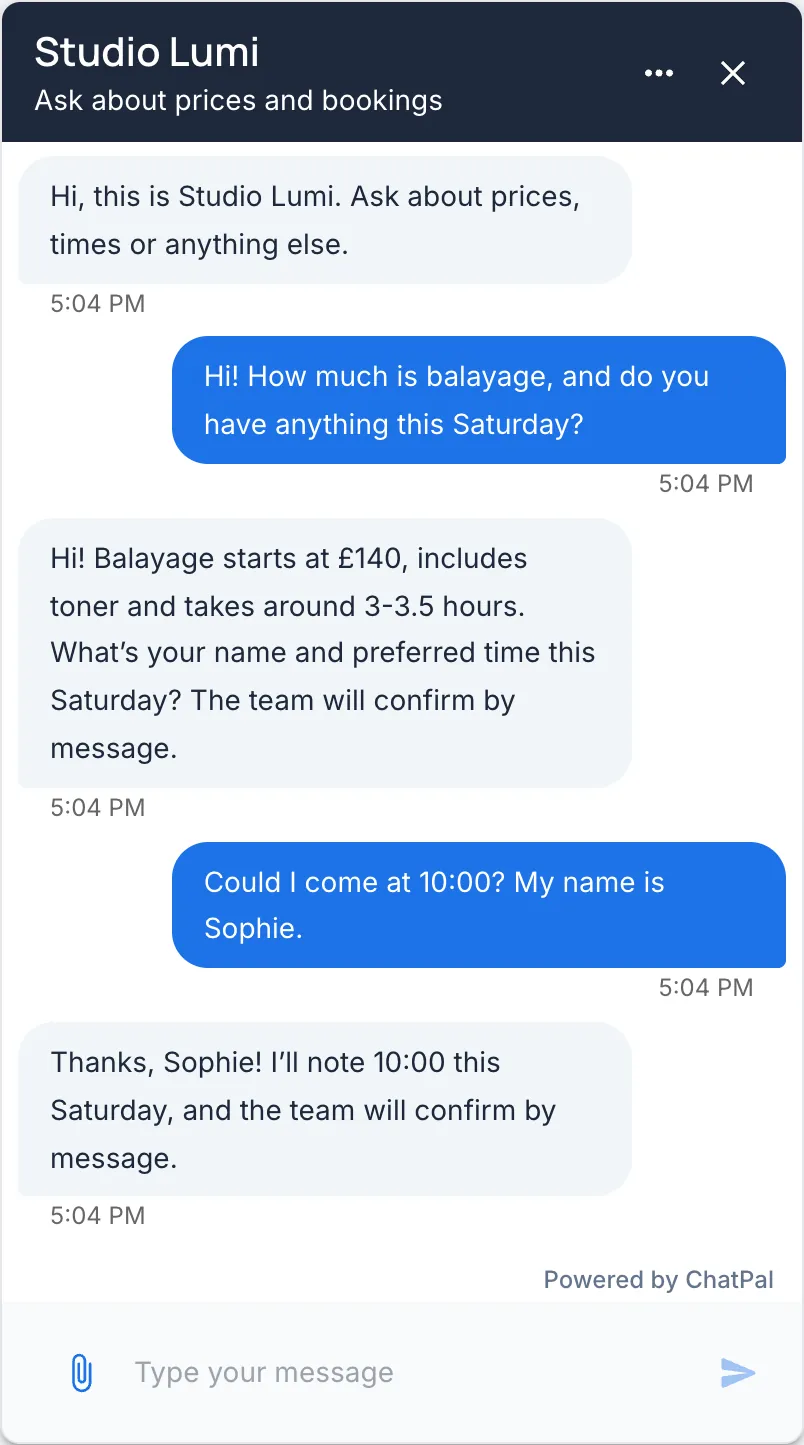
When a customer asks for a person, or the assistant doesn't know the answer, it hands the chat to your team. You reply from ChatPal's inbox, and your answer reaches the visitor in the same chat window. For writing instructions that keep answers accurate, see how to build an AI chatbot.
When free stops being enough
ChatPal alerts the workspace owner and admins at 80% and 100% of the month's replies, by email or Telegram. At 100%, the assistant stops replying on its own until the allowance resets or you upgrade; visitors see a short message asking them to try again later, and your team can still answer. Starter is $20 a month for 500 replies, which is about 166 chats at three replies each, with 2 assistants and 30 web pages.
On the other tools, the first upgrade usually comes from one of three walls: the AI allowance (Tidio's one-off 50, tawk.to's 100 credits), the branding, or a second channel such as WhatsApp. Check which wall you will hit first at your volume before you pick, because that decides your real price.
Prices and limits were read on each vendor's own pages on 20 October 2026, in US dollars. Some vendors show local currency by country, so your figures may differ. ChatPal's current plans are on the pricing page.