
What answering messages costs a salon, and what an AI assistant costs instead
Yevhen Kurapov, co-founder · Updated Sep 29, 2026
Count a normal week's messages, multiply by the minutes each one takes to get hours, and price those hours at your local wage. Compare that with the plan that covers your reply volume. The assistant won't take everything, so keep some hours for yourself: judging photos, complaints and anything unusual.
Every week your front desk spends part of its paid hours in the Instagram inbox, and you spend some evenings answering "how much is a root touch-up?" from the sofa. This guide turns that into a number you can put next to the price of an AI assistant.
The wage and the plan prices below are published figures. Everything else is an assumption for a four-chair salon, so swap in your own.
Count your messages first
Take one normal week. For each channel, count the new conversations, not the individual messages: one client asking about a price, a time and parking is one conversation. Scroll the threads and count them yourself. Quicker: count one ordinary day and multiply by your opening days. Then open ten threads and average your own replies in each.
Count the channels separately, because an assistant only covers some of them. ChatPal answers on Instagram, WhatsApp, Telegram and your website chat. Phone calls and Viber stay with you, and so does any channel not on that list.
Also count how many conversations arrive after you close: those are your own hours, not your front desk's.
Turn it into hours
Here is a worked example for a four-chair salon. Each number is an assumption to swap for your own count:
- 80 conversations a week: 60 on Instagram, 15 on the website chat, 5 on WhatsApp.
- 3 replies from you in each conversation.
- 1.5 minutes per reply, including checking the book and scrolling back through the thread. Time five real replies with your phone's stopwatch and use your own average.
That's 4.5 minutes per conversation, or 360 minutes a week: 6 hours. Say 27 of the 80 conversations arrive after closing, about a third. Then about 2 of the 6 hours are you, in the evening, and 4 fall to your front desk during opening hours.
What those hours cost
Start with how your front desk is paid. If your front-desk person is paid for 20 hours either way, the assistant saves nothing on payroll: it buys time for check-ins, rebooking and the phone instead of the inbox. Only if you'd cut paid hours, or you're the one answering at night, does it turn into money.
In the US, the national median wage for receptionists and information clerks was $18.27 an hour in May 2025, according to the Bureau of Labor Statistics. Put in what you actually pay, including employer taxes if your payroll shows them.
At $18.27, 6 hours a week is about $110 a week, or about $475 a month.
Price your own evening hours at the same rate: what you'd pay someone to take them over.
What the assistant costs
ChatPal's plans are a flat monthly price with a set number of messages, billed monthly, with no per-message fees:
| Plan | Price | Messages a month |
|---|---|---|
| Free | $0 | 100 |
| Starter | $20 | 500 |
| Standard | $50 | 1,500 |
| Pro | $120 | 4,000 |
Each reply the assistant sends counts as one message. The example assumes it needs as many replies per conversation as you do: 80 conversations with 3 replies each is 240 replies a week, or about 1,040 a month. That's past Starter's 500, so it's the $50 Standard plan, with about 460 to spare. Your real count may run higher than 3 replies per conversation, and your own test chats count too. Leave room for both in the first week.
Every plan includes Instagram, WhatsApp, Telegram and the website chat. At the 80% alert, move up a plan from your workspace settings; the bigger allowance applies straight away. Prices are the ones on the pricing page on 29 September 2026.
Add your own setup time to the assistant's side. Assume 3 hours to write down your prices, services and rules and add them under Configuration, in the Files tab (upload a price list as a PDF, Word or text file), then 15 minutes a day for two weeks reading its answers. That's about 6.5 hours once, or about $120 at $18.27.
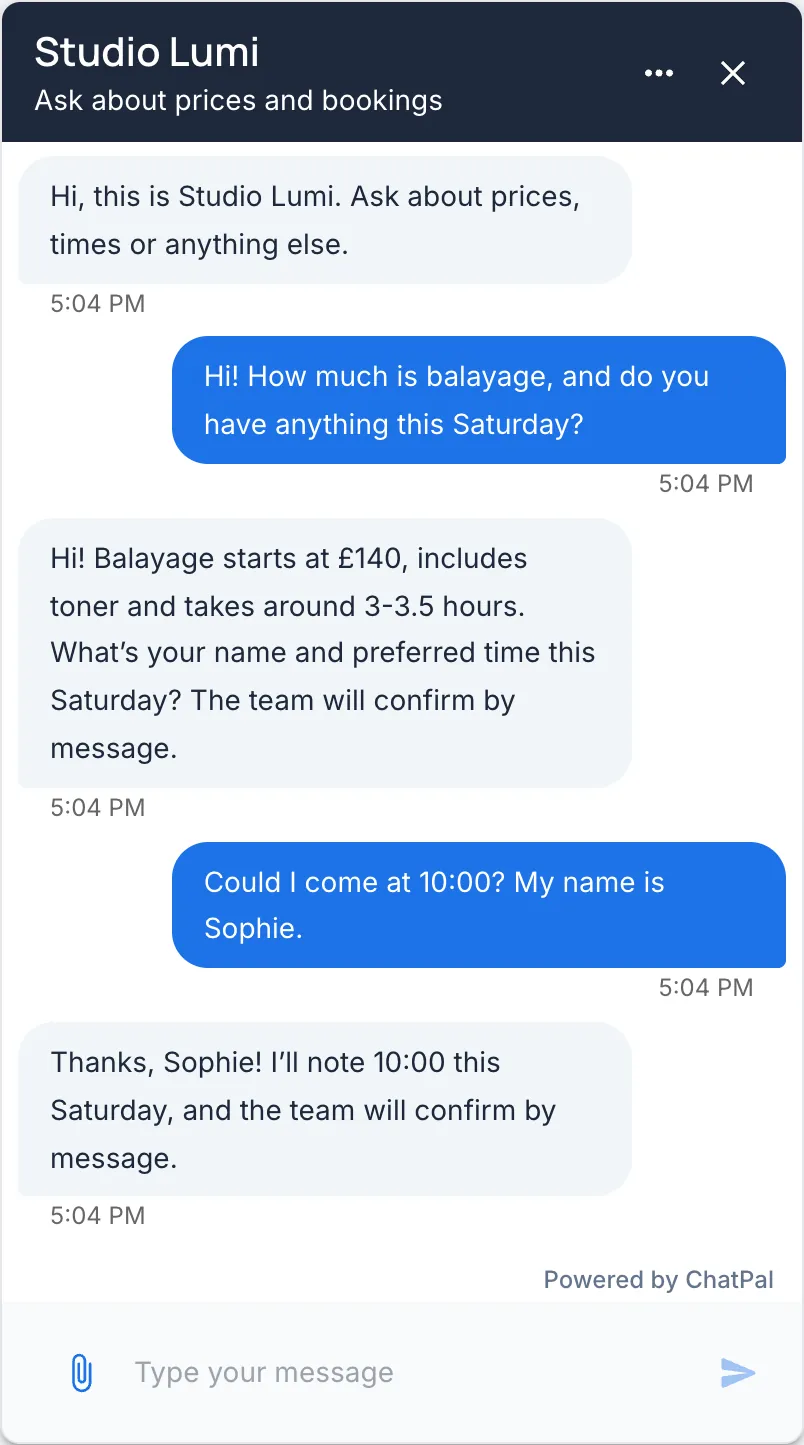
What you still answer yourself
The assistant won't take all 6 hours. The example below assumes it fully handles 7 conversations in 10; you'll replace that with your own share in a moment. At 7 in 10, about 4.2 of the 6 hours come off: roughly 2.8 front-desk hours and 1.4 of your evening hours.
- If your front desk is paid for fixed hours, the 2.8 hours are time back for the salon floor, not money saved.
- For a salon with 20 fixed front-desk hours, the win is about 1.4 of your own evening hours a week. Priced at $18.27, that's about $25 a week, or $110 a month, against $50 a month for the Standard plan plus the setup time above.
- The full 4.2 hours become about $330 a month only if you cut paid hours by that much.
To replace the placeholder, use the free plan before you pay: type 20 or 30 real questions from last month's DMs into the Playground in your dashboard and count how many it answers fully from the prices and rules you gave it. Use that share instead of 7 in 10; each reply there counts toward your monthly messages.
After two weeks live, check it again. Open Analytics and look at the Escalation rate in the Human Handoff section, once at least one chat has been handed off: the share of conversations handed to a person.
What stays with you:
- Judgement calls on photos, and voice messages and videos. The assistant reads the photos a client sends, up to 4 per message, but whether a stylist can match the colour in a picture is your call. Voice messages and videos are ignored, so they get no reply.
- Complaints and anything unusual. A colour correction gone wrong, or a reaction to a product.
- Conversations it hands off. A client who asks for a person, or brings up a topic you've marked for a human, waits for you (setup below).
- Starting a conversation. The assistant can only reply to messages a client sends first, so opening a conversation is yours.
- Story mentions. The assistant doesn't answer when a client mentions you in her story.
To get handed-off conversations to you:
- In your assistant's Configuration, open the Settings tab, find Additional Settings and switch on Enable human-in-the-loop.
- To send a topic such as complaints to you as well, click Add under Categories, enter the Category name, choose Human escalation, then click Create.
- Click your workspace name at the top of the page, choose Manage workspaces..., open the Notifications tab and, under What to notify me about, switch Email and Telegram on or off for Chat escalated to operator. For Telegram, first click Connect Telegram and press Start.
The alert links to the conversation. Reply in the Handed off to a human view in Chats; your reply reaches the client on the channel they used. Click Return to AI when you're done.
To have the assistant book appointments too, see how to book from Instagram, WhatsApp and Telegram.
When it isn't worth it
- Very few messages. If you get about one new conversation a day, the free plan's 100 messages a month roughly covers it at 3 replies each, so there's no plan to pay for. Setup time is then most of the cost.
- Clients who phone. ChatPal doesn't answer calls. If the phone is where your bookings come from, a voice receptionist fits better; the salon chatbot comparison covers a few.
- Messages that are mostly pictures. If most of your DMs are "can you do this?" with a photo, only a stylist can say yes, so most of those hours stay with you.